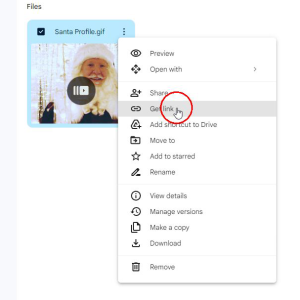
Step 1:Upload your picture to Google Drive. Right-click the file, then click on “Get link”
Step 2: In the window that comes up, change the visibility to “Anyone with the link”
Step 3: Click “Copy link”
Step 4: Paste that link into the box below and click “Convert Link”
Step 5: Visit the HubSpot email signature generator on a full size screen (it isn’t available on mobile)
Phone us at (780) 628-0628 or send a message: